Shop for Fuji gear at B&H

Showing posts with label Sample. Show all posts

Monday, October 8, 2012

Fuji X10 and Firmware 2.0 Review and Samples

One thing I really enjoy since I started using Fuji X cameras is that Fuji listens to us users and pushes out Firmware updates over time that don’t only improve speed and reliability, but also add features.

I have been enjoying the use of my Fujifilm X10 as my most compact “serious“ camera. I always take it along when I only have a coat pocket of space for a camera and I’m always amazed by the quality images I get from this small sensor camera. The awesome fast lens does work perfectly together with the EXR sensor. But the fast zoom lens comes at the price of a little bit bigger size. Unlike a Canon s95/S100 who’s lens retracts 100% into the body to give a small package that fits in your shirt pocket, the lens of the X10 sticks out too much for any shirt pocket that I own. But my coat pockets will hold the X10 comfortably.

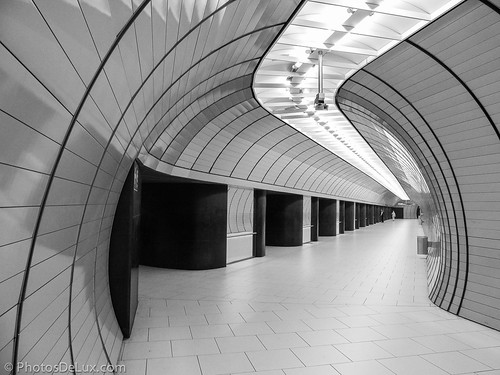
I just returned from a 1 day business trip to Munich. I only had a little extra room in my bag and it was easily filled with the X10. Here are three quick photos that I snapped on the way:

As always, click on the image for a larger version


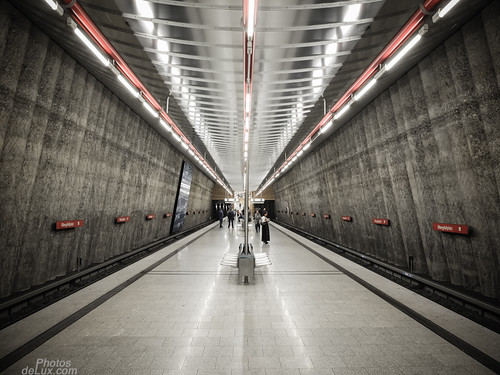
A cool looking subway station that is hidden in the south of Munich: Spaceport Munich - Fuji X10 sample

And the very famous Marienplatz station that most Munich visitors come across: Munich Marienplatz Station - Fuji X10 sample

The X10 has a great auto white balance even in this tricky yellowish airfield lighting and very good ISO 1600 quality for a small sensor camera
Fuji X10 ISO 1600 AWB sample


___________
Firmware 2.0

Last Friday my almost one year old Fuji X10 received a 2.0 firmware update from Fuji. Two things were mentioned as changes in the release notes:

1. The “Q“ (Quick) Menu that I love so much on my X-Pro 1 was added to the X10 “RAW“ button. You now have the camera’s most important functions all on one detailed screen to quickly change them.

2. An “Advanced Filter” function has been added. Those filters can be activated in the Advanced Mode and give you the choice of 5 special filter effects (Toy Camera, Miniature, Pop Color, High-Key, Dynamic Tone and 6 individual color key (partial color) filters.

I have spend some time over the weekend to play with the new firmware functions. The added “Q“ Menu alone made the upgrade worth it for me. Although you need to be aware that you loose the option to program the “RAW“ key with a custom function. The Fn key can still be programmed with you favorite function, though.

The color filters are a nice add on, too. But to be honest, I’m not a big fan of these filters in general. I do, however, see why Fuji added them to the prosumer targeted X10 compact. The X10 is a very capable compact camera. And I enjoy the excellent image quality and natural color rendition of the original files straight out of the camera. But there are users who prefer a different style of look to their images that had to be applied outside the camera in a photo editor, untill now.

But now you can choose the filter style you like in the Advanced menu and preview the effect the filter will create live on the LCD. One click and the image has been captured in that style and is ready for upload via USB, SD-Card reader or Eye-Fi card.

Here are some examples of what some of the filters look like (out of camera):


The Miniature filter: Fuji X10 Miniature filter sample


The Dynamic Tone filter: Fuji X10 Dynamic Tone filter sample


The Partial Color Blue filter:
Fuji X10 Partial Color Blue filter sample


And the High-Key filter:
Fuji X10 High-Key filter sample


While it is convenient to have the camera bake the filter style automatically into your photo there is a drawback. Once the JPG is created, there is no turning back! The effects only work in JPG and don't work on your RAW files. So there is no way to neutralize your image file after the filter style has been applied. Therefore use the filter effects wisely!

While I tested the filter effects, I started to wonder if their use could be improved. I came up with the following suggestions/questions:

1. Why can't the filter effects be created from a RAW file inside the camera's RAW converter like the film simulations?

2. Why can't the filter effects be incorporated into the "Drive" function "Film Simulation Series"? This way I could choose one or two effects and still have the original Provia file.

3. Why can't the filter effects be accesed in the "Q" menu for quick changing?Maybe Fuji listens once again to our suggestions - and please Fuji, add the "Q" menu to the X100's Raw button, too ;-)


If you have any further questions leave a comment below or Twitter me @HamburgCam

And if you liked my post I am always happy if you spread the word and retweet, like or google +1 it :-) 

Friday, July 20, 2012

How Bokehlicious is the Fuji X-Pro 1?

Tests have shown that the Fuji X-Pro 1 is able to challenge full frame sensor cameras in resolution, dynamic range and ISO performance.

But there is one physical limitation where even the best APS-C size sensor can't challenge a full frame camera - and that is shallow depth of field control.

Any sensor smaller than full frame will have a greater depth of field at comparable lens and f-stop settings. Now that does not automatically imply that this is a bad thing. Many wildlife, sports and macro photographers actually appreciate this characteristic for their work.

But I am a shallow depth of field and bokeh lover! I have used full frame DSLR's for 6 years and really make use of shallow depth of field to separate my subject from the background. So how can I create this effect with the X-Pro 1?

Well, the underlying physics of the X-Pro 1 APS-C sensor can't be changed. You have to a) shoot as wide open as possible and b) get as close as possible to your subject and c) use the longest focal length possible in order to increase the shallow depth of field.

The bokeh quality is a matter of the lens used. So how do the XF 18mm and XF 35mm that I own do in the bokeh department? See and decide for yourself:


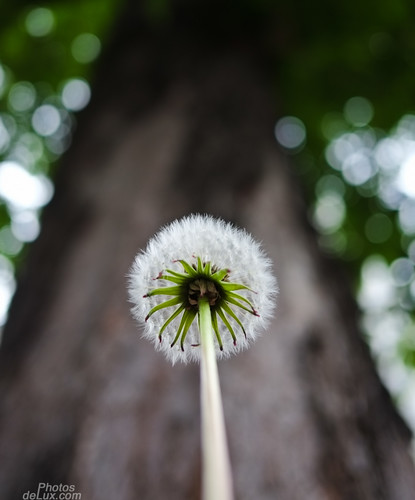
Small but at the Top - Fuji X-Pro 1 macro
The Fujinon XF 35mm f/1.4 is capable of producing a nice bokeh and lots of details even at f/2.8!


Happy Bokeh Friday 11.05.2012 - Fuji X-Pro 1
The Fujinon XF 18mm f/2 does produce a very pleasing bokeh, too.


Happy Bokeh Friday 30.03.2012
XF 35mm @ f/1.4 with sunlight coming in through the window behind the chair.


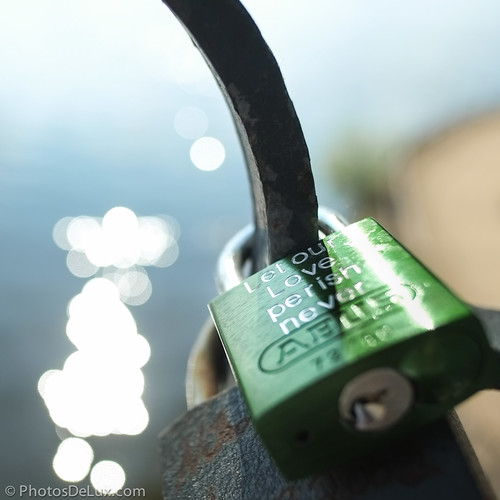
And let our grammar better get always ;) - Fuji X-Pro 1
This was a high contrast scene facing towards the sun with the XF 18mm lens. Blown highlights but nice bokeh.


Happy Bokeh Friday 20.04.2012
Detail of a classic Citroen DS taken with the XF 35mm f/1.4


Happy Bokeh Friday 13.04.2012
The wide angle XF 18mm f/2 allows for a good angle of view even if you want to get close to the subject in order to create background blurr


Happy Bokeh Friday 22.06.2012 - Fuji X-Pro 1
XF 35mm at f/1.4 - I use shallow depth of field to focus the viewers attention to the part of the picture that I want to highlight. The Lytro camera shown in this image lets the viewer decide where to focus on after the picture was taken...


The right one is somewhere out there... - Happy Bokeh Friday!
XF 35mm at f/1.4 - If everything would have been in focus, the background would have distracted from the subject and the story this picture was supposed to tell would have been less intense


Portrait in the rain - Fuji X-Pro 1
I am always amazed about how well the XF 35mm on the X-Pro 1 resolves details. Even wide open at f/1.4 you can clearly see individual hairs (click on the image to go to a bigger version)


Both the Fujinon XF 18mm f/2 and 35mm f/1.4 are great compact lenses that can be used with wide open aperture and still resolve lots of detail.

Remember, the smaller the sensor gets, the tougher it is to separate your subject from the background! Therefore a smaller m4/3 sensor needs an even faster lens to create a similar shallow depth of field at a comparable field of view that you get from an APS-C sensor camera.

Looking at Fujis XF lens roadmap, the XF 23mm f/1.4 and XF 56mm f/1.4 (both in 2013) are two lenses that look interesting for the shallow depth of field style photographer :)

And as the Fuji X-E1 hast the same mount and sensor as the X-Pro 1, the results will be the same.

If you have any further questions leave a comment below or Twitter me @HamburgCam

And if you liked my post I am always happy if you spread the word and retweet, like or google +1 it :-)